

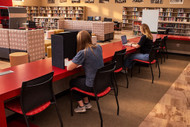
What Is Hot Desking? A Guide to Flexible Office Workspaces
Posted by Kate Murphy on Sep 16th 2026
Between hybrid work, open office layouts, and shared coworking spaces, the traditional idea of every employee having a dedicated desk is changing. On Monday, a workstation might be used by someone in sales. On Tuesday, it could become a project hub for the marketing team. By Friday, another employee may settle in for a few hours of focused work. This is hot desking: a flexible workplace arrangement where employees use available workstations rather than permanently assigned desks.
Hot desking can help organizations align their office space with daily attendance while giving employees more choice in where they work. But making it successful involves more than removing nameplates from desks. It requires a thoughtful approach to privacy, noise, collaboration, storage, and workspace design.
How Does Hot Desking Work?
Find an open desk, plug in, and get to work. At its simplest, hot desking follows a straightforward routine:
- Choose a workstation. An employee selects an available desk when they arrive.
- Get set up. They connect their laptop and arrange any equipment they need.
- Use the space. The workstation becomes theirs for the day or part of the day.
- Reset the desk. Before leaving, they clear the workstation for the next person.
Some workplaces keep the process informal, while others use software, occupancy displays, or designated team areas to help employees find open workstations. The right approach depends on office size, attendance patterns, and how employees use the space.
Hot Desking Vs. Assigned Seating
The main difference between hot desking and assigned seating is whether employees have a permanent workspace of their own. With assigned seating, each employee has a consistent location, personal storage, and a desk arranged for their regular needs. The office layout is relatively fixed, even when some employees are working remotely.
Hot desking uses shared workstations instead. An employee's location may change from one visit to the next, and personal items are often kept in lockers or shared storage. This creates flexibility, but it also makes dependable technology, clear policies, and a clean-desk routine more important.
Hot Desking Vs. Desk Hoteling
Hot desking and desk hoteling both involve shared workstations. The key difference is when employees select their desks.
With hot desking, employees arrive at the office and choose from whichever workstations are available. This offers more day-to-day flexibility, but a particular desk or location is not guaranteed.
With desk hoteling, employees reserve a specific workstation before coming into the office, often through an online booking system (much like booking a hotel room). They know where they will sit ahead of time and can plan to work near teammates or in a preferred area.
Why Are Companies Adopting Hot Desking?
The way employees use the office has changed. With hybrid schedules, assigned desks may sit empty for much of the week. Hot desking allows employees to share those workstations on different days, helping companies align their office setup with daily attendance.
Shared seating also gives organizations more flexibility as teams and schedules change. Companies can regroup workstations, bring teams together, and dedicate more space to meetings or focused work. While this approach may reduce real-estate costs, the goal is not simply to fit more people into less space. It is to use the available space more intentionally.
What Are the Benefits of Hot Desking?
When thoughtfully planned, hot desking can create a more flexible workplace for employers and employees alike.
Shared seating helps employers accommodate headcount changes, hybrid schedules, and shifting team needs without rebuilding the office. By matching workstations to daily attendance, companies can repurpose underused desk areas for meetings, projects, or quiet work—and potentially reduce real estate and operating costs.
Employees gain more choice throughout the workday. They can sit near teammates for a project, find a quieter spot for focused work, or work closer to a meeting room. Shared seating may also encourage more interaction across teams.
The benefits extend beyond corporate offices. In coworking spaces, hot desks give consultants, freelancers, and entrepreneurs a professional place to work without maintaining a private office. Flexible memberships can also help growing companies support remote employees or enter new markets before opening a permanent location.
What Are the Challenges of Hot Desking?
Without thoughtful planning, hot desking can create friction. Common challenges include:
- Lack of privacy: A shared desk may feel exposed or impersonal.
- Noise and distractions: Conversations, calls, and movement can make it difficult to concentrate.
- Workspace availability: Employees may struggle to find the right desk during peak attendance times.
- Team separation: Coworkers who need to collaborate may end up scattered across the office.
- Storage: Personal belongings, documents, and equipment still need secure, accessible places.
These challenges do not necessarily mean hot desking is a bad fit. They signal a need to design the physical office around how people actually work.
How Does Office Design Support Hot Desking?
Effective hot-desking solutions provide a mix of work environments. Instead of treating every workstation the same, organizations can create spaces for focus, conversation, collaboration, and privacy.
Use Partitions to Create Privacy
Shared desks do not have to be completely exposed. Desktop acoustic partitions and cubicle panels can add visual separation between neighboring workstations. Freestanding room dividers can define a small team area, screen a high-traffic walkway, or create separation between individual and collaborative zones.
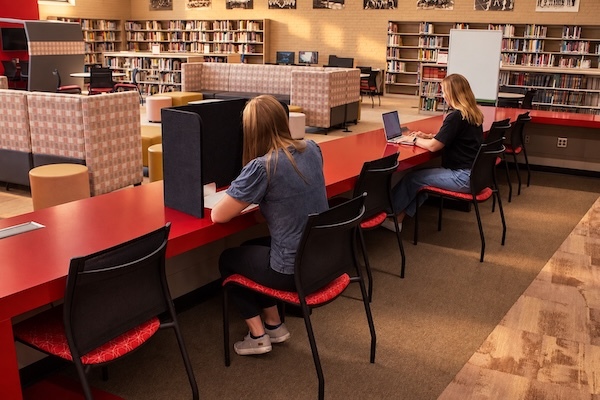
For example, an office could group six shared desks together and use workstation panels to give each user a clearer sense of personal space. A movable partition placed along the aisle could reduce visual distractions without permanently closing off the area.
Create Quiet Zones
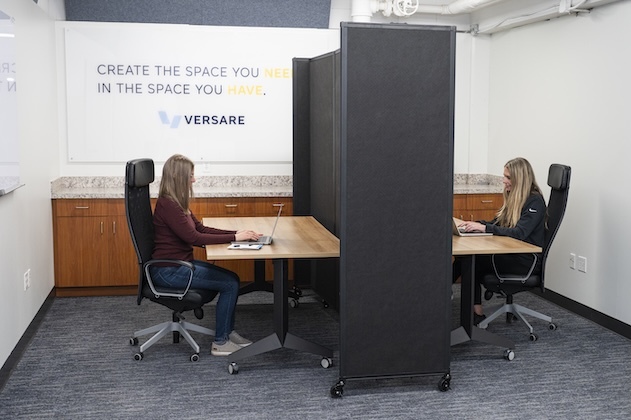
A shared office does not need to become one large, noisy room. Acoustic panels can help absorb sound within busy areas, while room-dividing solutions can establish quieter zones for focused tasks. These products do not block all sound, but they can help manage everyday office noise and reduce distractions.
Establish Flexible Meeting Spaces
Calls and quick conversations should not take over the desk area. Modular walls and portable partitions can form temporary rooms or defined spaces for meetings, video calls, teamwork, or independent focus.
Make Spaces Easy to Reconfigure
Attendance patterns and team needs rarely stay the same. Modular furniture and block walls can help the office change with them. Look for solutions that are easy to assemble, disassemble, move, and store, so facilities teams can adjust layouts without committing to permanent construction.
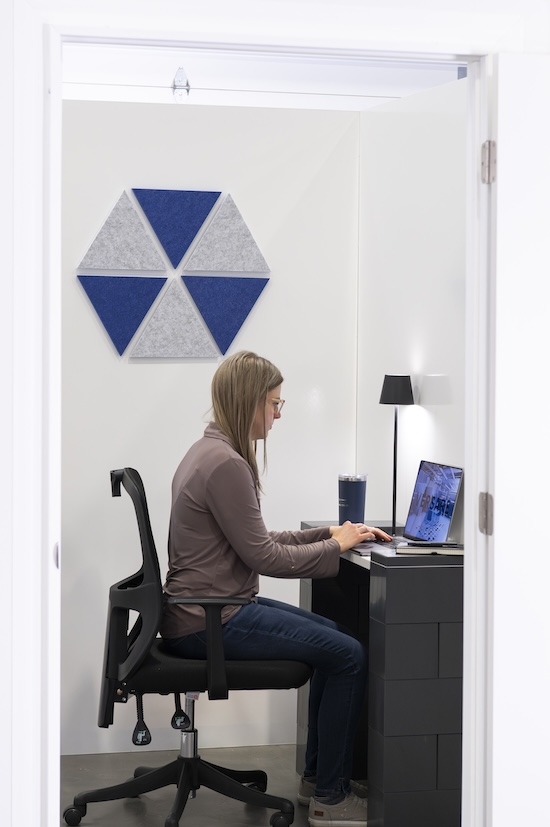
Clear wayfinding also matters. Simple signs, color-coded zones, or a reservation map can help employees quickly identify collaborative areas, quiet workstations, and bookable spaces.
Hot Desking and the Future of Flexible Offices
Hot desking can help companies use office space more efficiently and support hybrid teams, but execution matters. Reliable technology, clear policies, and enough workstations can make the difference between productive flexibility and daily frustration.
The future is not about eliminating desks. It is about providing the right space for each task. Versare’s portable room dividers, modular walls, cubicle systems, and acoustic solutions help organizations adapt their workplaces without permanent construction.
Browse Versare's flexible office solutions or speak with an expert to plan a workspace built around the way your team works.