

How to Set Up a Home Office for Remote Work: 11 Tips
Posted by Kate Murphy on Jan 28th 2026
Setting up a home office isn’t just about plugging in your laptop and calling it a day. A thoughtful remote work set up helps you stay focused, comfortable, and in control of your day. Whether you're fully remote or juggling a hybrid schedule, the right setup can make a big difference in how productive (and sane) you feel.
This guide will walk you through how to set up a home office that works with your lifestyle, not against it.
Why a Good Home Office Setup is Important
If you're going to work from home effectively—whether full-time or just a few days a week—you need a dedicated workspace that supports focus, productivity, and well-being. A thoughtfully designed home office helps signal to your brain that it’s time to work, not relax. That mental separation between “home mode” and “work mode” is essential for staying on track during the day, and for truly unplugging when your work is done.
According to the U.S. Bureau of Labor Statistics, many people working from home report productivity levels that are equal to or higher than those in traditional office settings, particularly when their workspace is comfortable and free from distractions. Additionally, a Gallup survey found that hybrid employees report several benefits from a mixed work schedule, including better work-life balance (76%), more efficient workdays (64%), reduced burnout (61%), and higher productivity (52%).
All this underscores one key point: productivity at home isn’t accidental. It’s built through intentional choices about how and where you work.
Home Office Set Up Essentials Checklist
A well-equipped home office helps you stay properly supported, productive, and polished on video calls. These foundational essentials will help create a workspace that supports focused work and professional virtual meetings.
- Reliable, high-speed internet
- Desk or table with enough surface area for your daily tasks
- Supportive chair (or chair, seat cushion, and footrest)
- An external monitor (or dual desktop monitor setup, if space allows)
- Storage for supplies and paperwork
- Comfortable keyboard and mouse
- Noise-canceling headphones
- A good webcam and microphone for virtual meetings
- Power strip/surge protector and cable management
11 Tips for a Better Remote Work Set Up at Home
Working from home looks different for everyone, but a few smart setup choices can make a big difference. These tips will help you create a home office that’s comfortable, functional, and built to support your workday.
1. Choose a Dedicated Space for Your Home Office
Working from different spots around your home can make it harder for your brain to switch into “work mode.” Instead, choose one consistent location and use it only for work, so your mind begins to associate that space with focus and productivity. Aim for the quietest area available, positioning your desk away from household traffic and distractions whenever possible. Even if space is limited, a clearly defined, low-traffic corner can help create the mental separation needed to stay on task.
2. Create a Clear “Work Boundary”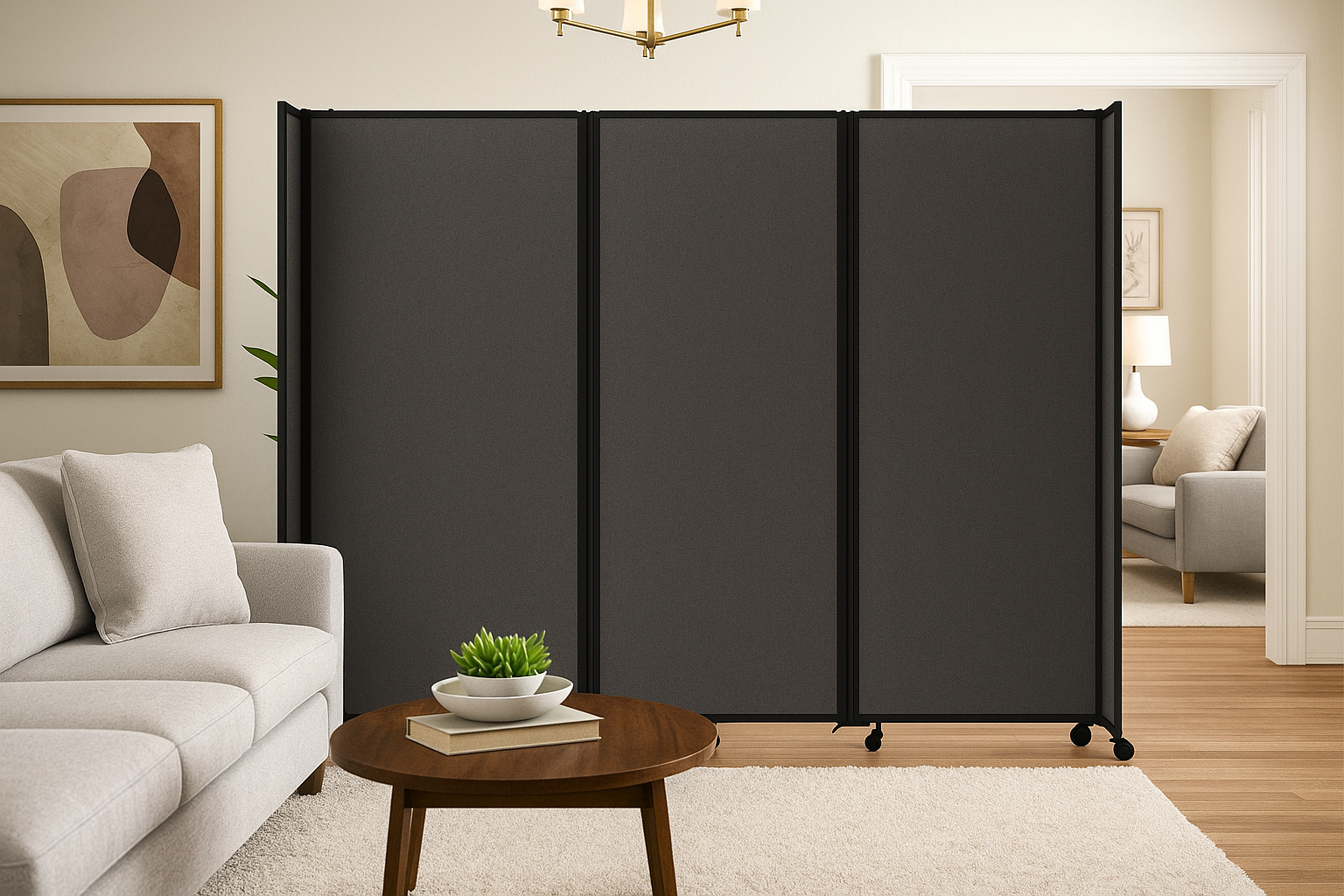
Visually separating your work area from the rest of your home can make a noticeable difference in focus and work-life balance. Using a screen, bookshelf, curtain, or single-panel or accordion divider helps block distractions during the day and creates a clear boundary between work and personal life. Just as importantly, that separation makes it easier to mentally “clock out” when the workday ends.
3. Invest in Ergonomic Furniture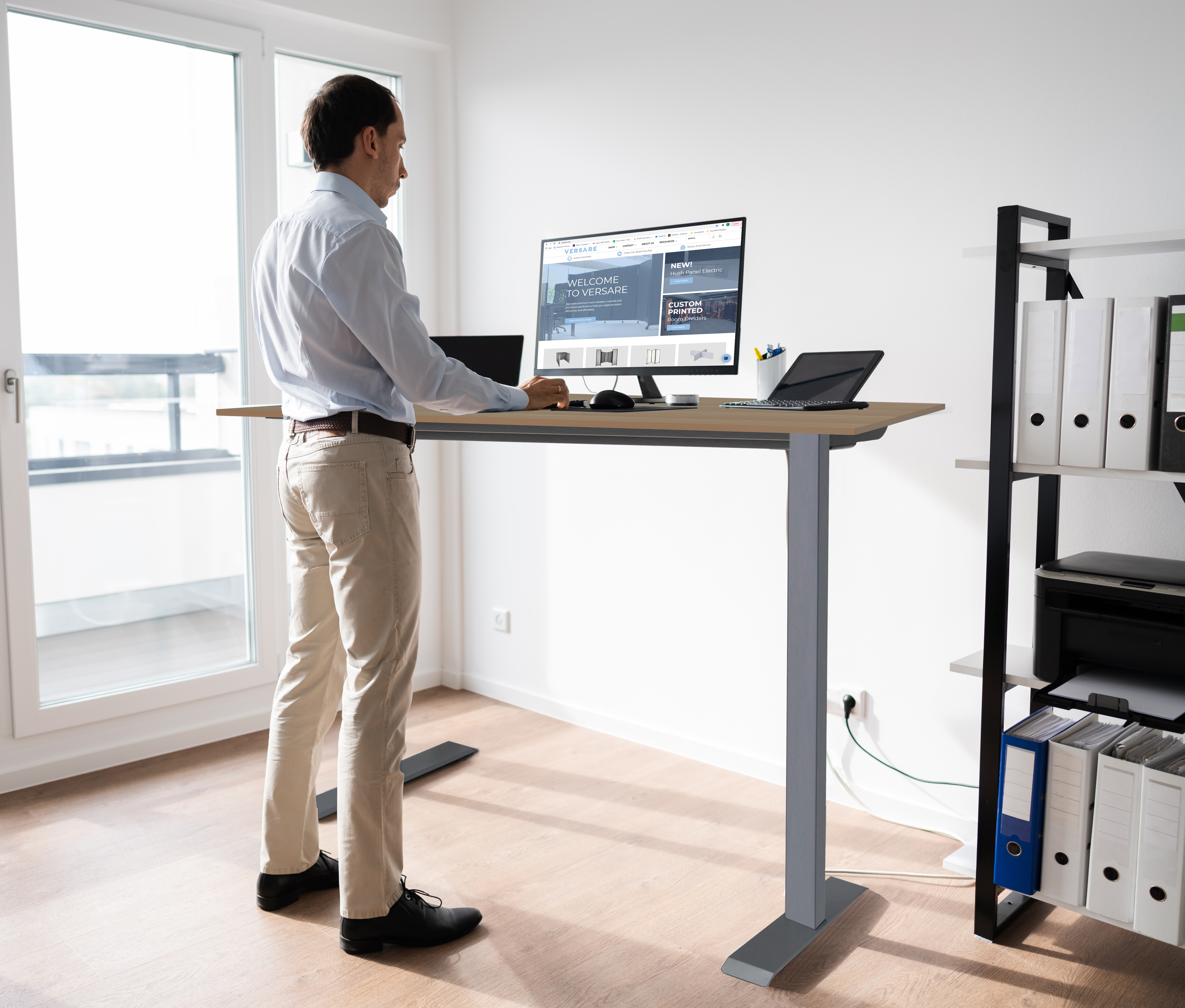
Prolonged sitting and sedentary activities like computer use are linked to elevated risks of serious health issues, including high blood pressure, cardiovascular disease, and cancer. Incorporating even a few ergonomic improvements into your workspace can help reduce these risks and support more comfortable, sustainable workdays at home.
If possible, choose a desk with a standing option so you can alternate between sitting and standing throughout the day, helping reduce fatigue and strain. For smaller budgets, simple upgrades like a laptop riser, wrist or hand rest, and an external keyboard can significantly improve posture and reduce neck and wrist discomfort.
4. Position Your Desk to Reduce Glare and Distractions
Where you place your desk can directly impact comfort and focus throughout the day. Position your screen perpendicular to windows to minimize glare and reduce eye strain, especially during daylight hours. In shared spaces, facing a wall or adding a divider behind you can help limit visual distractions and keep your attention where it belongs.
5. Build a “Meeting-Ready” Audio Setup
Clear audio is just as important as a stable internet connection when working from home. Using a headset or external microphone can significantly improve sound quality while cutting down on background noise during calls. To reduce echo or hollow-sounding audio, add soft elements like rugs, curtains, or wall-mounted sound-absorbing panels to create a more controlled acoustic environment.
6. Prioritize Internet Accessibility
A reliable internet connection is essential for productive remote work, especially for video meetings and large file transfers. Set up your workspace where Wi-Fi is strongest, or use a wired Ethernet connection for maximum stability. It’s also smart to have a backup plan, such as a mobile hotspot, Wi-Fi extender, or mesh system, to stay connected when it matters most.
7. Use Layered Lighting for Comfort and Better Video Calls
Good lighting is essential for focus, comfort, and energy throughout the workday. Combine natural light, which has been shown to boost mood, increase energy levels, and help regulate your sleep cycle, with a task lamp to keep your workspace evenly lit without relying on harsh overhead lighting or working in dim conditions
For video calls, add a soft, front-facing light to evenly illuminate your face and reduce shadows, especially if overhead lighting is your main source. Thoughtful lighting choices can reduce eye strain, improve on-camera appearance, and make long workdays feel more manageable.
8. Create a Clean Video Background That Looks Professional
What’s behind you on camera matters more than you might think. Choose a simple, uncluttered background, such as a blank wall, a neatly styled shelf, or a movable divider, to keep the focus on you. Avoid busy or cluttered spaces, which can be distracting for both you and the people on the call. A clean background helps you look polished every time.
9. Clean Up Cables
Loose cords can quickly make a workspace feel cluttered and unsafe, so bundle and label cables to keep them organized and easy to manage. In high-traffic areas, use cord covers or cable channels to prevent trips and maintain a clean setup.
10. Organize with Smart Storage Solutions
An organized workspace starts with separating what you use daily from what can be stored away. Keep essentials like pens, notebooks, and headphones within easy reach, while placing extra supplies and files in bins or drawers to reduce visual clutter.
11. Protect Sensitive Documents and Devices
When working in a shared space, it’s important to safeguard confidential information. Store sensitive documents and equipment in a lockable drawer or storage box when they’re not in use. If you regularly handle private work or take calls around others, a screen privacy filter can help keep information secure while maintaining peace of mind.
Create a Home Office that Supports Productivity and Well-Being with Versare
Designing a great home office doesn’t have to be overwhelming. Start by evaluating your current space and pick one improvement to tackle first, whether it’s better lighting, a new desk, or added storage. Over time, those small upgrades create a space that truly works for you. And when you’re ready to take things to the next level, Versare offers flexible workspace solutions that make home offices smarter, quieter, and more productive.
Ready to upgrade your remote work setup? Browse the home room dividers and start imagining how to set up a home office for remote work that actually works for you.